Essay Features
How Salesforce Integration Architecture Actually Works
Salesforce integration breaks without the right architectural layers connecting your systems.
Salesforce doesn't have an integration problem so much as an integration math problem. Every company running Salesforce also runs an ERP, an inventory system, a support desk, and maybe three different marketing tools nobody fully remembers approving. Each one accumulates data on its own schedule, in its own format, answering to nobody. The result: an order closes in Salesforce and shows up in the ERP two days later, if someone remembers to run the sync. Integration architecture is the fix, and it works in layers. APIs, auth, data flow, event handling, and AI agents all stack on top of each other, and a bad call in one layer breaks the ones above it. Here's how the stack actually holds together, floor by floor.
The Four Structural Patterns and Their Applications
Point-to-point is the integration equivalent of calling a coworker directly instead of going through the front desk. System A talks to System B, done. Fast to build and fine for a one-off, but a genuine mess once you have six systems all wired directly to each other. Nobody can see the whole picture, and every new connection multiplies the number of wires running through the wall.
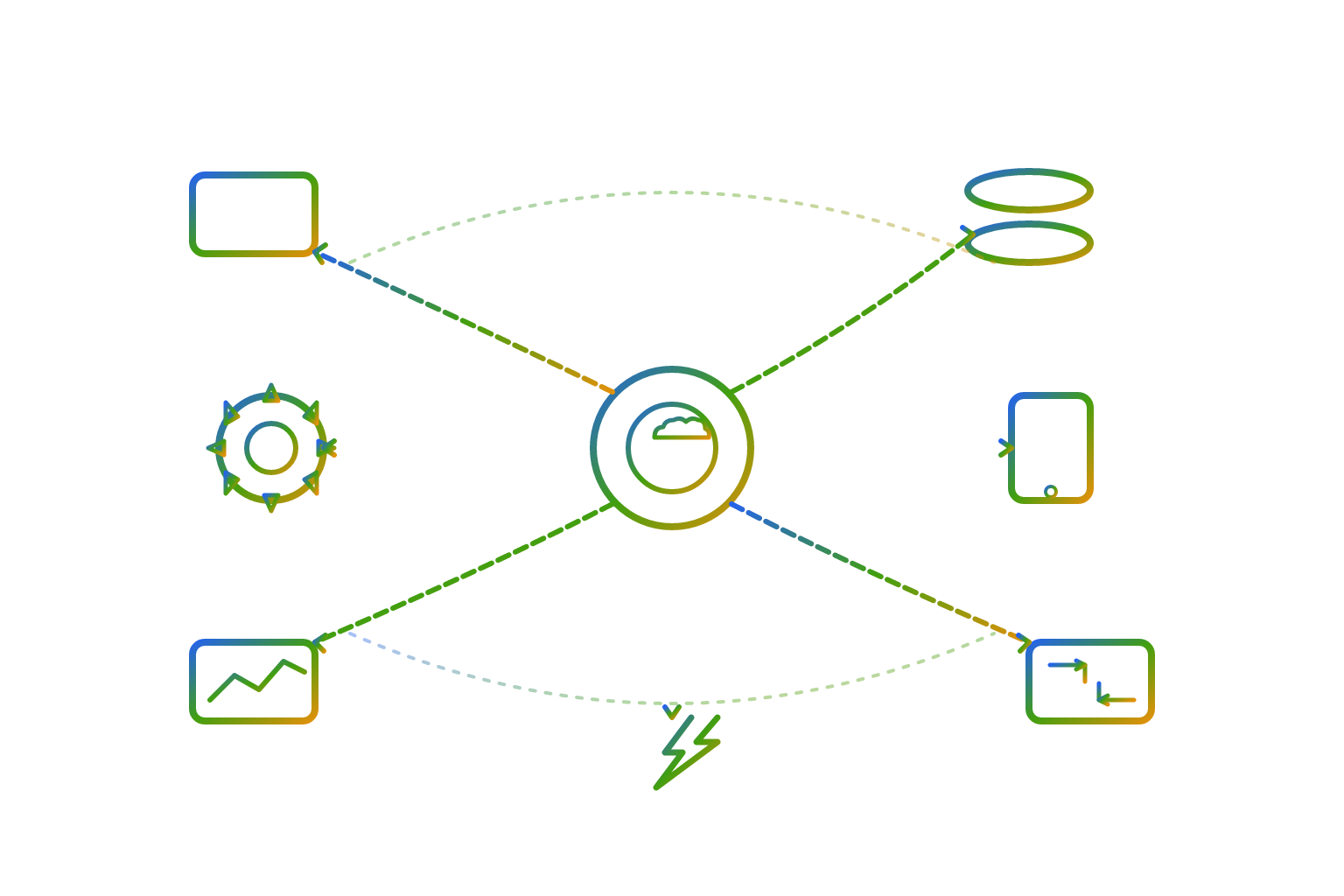
Hub-and-spoke fixes that by putting a central broker in the middle. Every system talks to a central hub, the hub decides where things go next, and every spoke reports back for further processing. This comes out of the old Enterprise Application Integration playbook, and it earns its keep wherever someone needs to audit who talked to whom, and when.
API-led connectivity is MuleSoft's contribution to the problem, and it's a genuinely different way of slicing things: three layers instead of one big hub. System APIs sit closest to the data sources. Process APIs hold the business logic. Experience APIs shape data for whoever's actually consuming it, whether that's a mobile app or a partner portal. Building a System API once lets five different teams reuse it instead of writing five different connectors to the same database.
Event-driven architecture is where most of the real confusion lives, mostly because three tools get lumped together that behave nothing alike. A REST API is synchronous and one-to-one: you make a request and wait for a response. A Platform Event is published once inside Salesforce, and anyone subscribed can read it and react on their own time. A webhook has Salesforce notify an outside system the moment something happens, with no polling required. Using a synchronous REST call for a job that should have been event-driven is one of the most common ways integrations turn brittle, because the whole thing chokes the second traffic spikes.
The Salesforce API Family: Choosing the Right One
Salesforce provides several APIs, each with a distinct purpose. REST API is the default, lightweight, and synchronous option reached for first in most modern builds. SOAP API remains for legacy systems that need a rigid, formal contract. Bulk API handles high-volume work like migrations and nightly loads that would overwhelm REST. Streaming API and Change Data Capture push near-real-time updates into event-driven interfaces. GraphQL lets the consumer define what shape of data it wants back instead of taking whatever the endpoint returns. Pub/Sub API delivers events efficiently without long-polling consuming resources.
Batch versus real-time is the first fork in the road. Batch processing works well for large datasets and jobs that don't depend on timing: weekly reports, overnight reconciliation. Bulk API, Data Loader, Scheduled Apex, and third-party ETL tools all handle that lane well.
Salesforce is retiring legacy pieces on a firm timeline. Salesforce-to-Salesforce is fully retired by Spring '27. Long-polling through CometD is being replaced by Pub/Sub API, and the old SOAP API login() authentication method is being replaced by OAuth 2.0. Teams treating these as distant concerns will face a hard deadline around Spring '27.
How Authentication and Authorization Govern Every Connection
By 2026, OAuth-based authentication is the strongly recommended approach for every new build. Legacy authentication methods are being retired alongside the API retirements above.
Best practice for the integration itself is a dedicated integration user on a free integration license, not a named employee's login and not an admin account borrowed for convenience. If those credentials ever leak, a dedicated integration user limits the exposure to what that integration touches, nothing more.
Connected Apps used to be the standard authorization model, but Salesforce is shifting that weight toward External Client Apps (ECAs) instead. This is a more governed and decoupled setup. Moving to ECAs changes how access gets scoped, how tokens get managed, and how the whole thing gets audited, so it should be treated as an architecture decision rather than a configuration task.
MCP authorization runs on its own separate track, distinct from the ECA pipeline. The MCP section below covers the details, and it represents its own governance question to address.
Hub-and-spoke fixes that by putting a central broker in the middle.
What Middleware Does in an Integration Stack
Salesforce's integration patterns documentation (Version 68.0, Winter '27) covers how middleware takes over event handling, routing both synchronous and asynchronous events to the appropriate recipients.
MuleSoft's Anypoint Platform, folded into Salesforce Integration Cloud, provides one place to design, run, and monitor APIs and integrations. Its connector library is large enough that many integrations no longer require custom-built connections, which reduces development time substantially. It also exposes existing MuleSoft API products as MCP-consumable tools, meaning agents can use them without any code changes.
MuleSoft Composer is a clicks-not-code option built for business users who need Salesforce talking to Slack, Jira, or NetSuite without opening a ticket with engineering. It handles straightforward integrations but is not a replacement for complex integration work.
Other platforms serve similar functions in different contexts. TIBCO handles both API-led and event-driven integration, routing and transforming Salesforce data across the enterprise. Google Cloud Application Integration connects natively to Salesforce Change Data Capture and triggers downstream workflows when data changes. Integrate.io adds data observability with pipeline health dashboards, error alerts, and visibility into ETL flows, so problems get caught before they surface in reporting.
Data 360 as the Unification Layer
Data 360 started as a standalone CDP and grew into something closer to the operational backbone of the Salesforce ecosystem by 2026. It sits between the systems that record what happened and the systems that act on it, ingesting, unifying, and pushing data out at enterprise scale.
Prebuilt connectors are the low-friction option, handling authentication and source connection for CRM, marketing, advertising, databases, cloud storage, and commerce. Supported sources include Snowflake, Databricks, BigQuery, Amazon S3, HubSpot (still in beta), Google Ads, LinkedIn Ads, and a range of additional partner sources.
Zero-copy federation lets Data 360 query data where it already lives instead of copying it. Three modes support this: query federation sends SQL directly to the external engine, file federation reads Apache Iceberg tables in place, and data sharing has the external system expose governed objects on its own terms. This works with Snowflake, Databricks, BigQuery, Amazon Redshift, and Iceberg-based lakes, and it eliminates the double storage and sync lag that come with copying data. It still requires permissions, authentication, network access, and key configuration to be set up correctly.
Ingestion APIs and custom connections cover the remaining scenarios: real-time ingestion through Ingestion APIs with CDC for sub-second latency, streaming through native connectors in micro-batches, and batch processing for scheduled large-volume loads.
Activation closes the loop by sending segments out to destinations like Google Ads or LinkedIn Campaign Manager. Data stays in Snowflake, Databricks, or S3 without duplication or drift, and nothing gets stored twice. The result is one version of the truth visible from inside Salesforce without ever moving the underlying data.
Data 360 runs on a consumption-based credit system, starting with a substantial initial allotment. Every ingestion run, every identity resolution pass, every segmentation refresh, and every activation event draws down that balance, which means integration design choices have a direct cost.
MCP and What It Changes for AI Agents
Before MCP, giving an Agentforce agent access to an outside tool meant building a custom Apex action, wiring up a named credential, defining a REST endpoint, and writing explicit invocation logic for every single tool. That is the same combinatorial integration problem that has plagued enterprise software for decades, applied to AI tooling.
MCP, the Model Context Protocol, is an open standard that lets agents discover and call tools, resources, and prompts from any compatible source through one standardized handshake. Salesforce's hosted MCP servers are generally available, exposing an org's APIs, Flows, and Prompt Templates to any MCP-compatible agent without custom integration code.
Salesforce Headless 360, announced at TDX 2026 in San Francisco, goes further. Every workflow, every data record, and every business process in Salesforce becomes reachable as an API, an MCP server, or a CLI command. That means every part of the platform is accessible to agents programmatically, without manual wiring for each connection.
What Integration Failure Looks Like in Practice
Bad integration architecture shows up concretely: a support agent looking at a customer account with data that is three days stale, or a finance team exporting spreadsheets by hand because nothing connects automatically. Reliability has to be addressed at the architecture level from the start, because it cannot be added on top later.
At the pattern layer, point-to-point connections are manageable at three systems but become unauditable at fifteen, with no central visibility and no opportunity to reuse existing connections. Forcing synchronous REST calls onto processes that need asynchronous events creates timeouts and retry storms under real traffic.
At the API layer, the failures are different but equally costly: batch jobs running on data that needed to be real-time, or real-time infrastructure built for data that only needed nightly updates, burning credits and engineering time on requirements nobody set. Every layer in this stack constrains the one above it, and a mistake at the foundation limits what can be built on top of it.
Notes
- Salesforce Integration Patterns and Best Practices for 2026
Informed the explanation of core integration patterns including point-to-point, hub-and-spoke, API-led connectivity, and event-driven architecture.
- Salesforce Integration Architecture Patterns for Enterprise Systems
Provided context on integration architecture patterns for enterprise systems including API-led and event-driven approaches.
- | Integration Patterns | Data 360 and Integration
Provided the official Salesforce integration patterns documentation referenced directly in the middleware section.
- Integration Patterns and Practices
Informed the descriptions of Salesforce integration patterns and their appropriate use cases.
- https://blogs.mulesoft.com/dev/connectivity-dev/event-driven-salesforce-integration
Informed the explanation of event-driven architecture and the distinction between REST API, Platform Events, and webhooks.
- https://trailhead.salesforce.com/content/learn/modules/api_basics/api_basics_overview
Provided foundational descriptions of the Salesforce API family including REST, SOAP, Bulk, Streaming, and other API types.
- https://www.salesforce.com/blog/summer-26-release-architect-highlights/
Provided information on Salesforce retirement timelines for legacy APIs and authentication methods referenced in the API section.
- https://www.salesforce.com/blog/spring-26-release-architect-highlights/
Provided architect-level context on Spring '26 changes including OAuth migration and API deprecation timelines.